


Aura Wallpaper Launcher
3.432.00 Reviews
App Specs
- Version
- 1020
- Updated On
- License
- Free
- Downloads
- 50,000+
- Developer
- SST Point
- Categories
- Personalization
- Platform
- Android
Screenshots
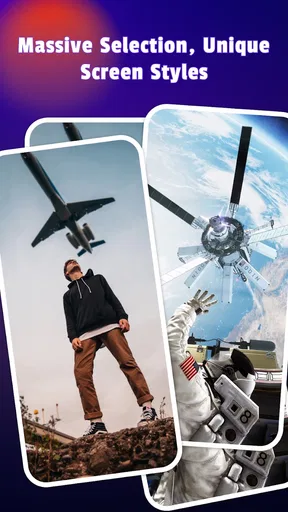
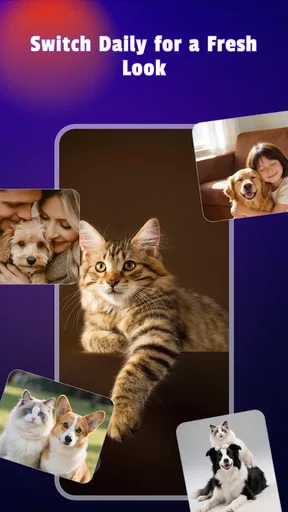
 Analysis by AppCompare
I judge a wallpaper app by what it changes in my day, not just by how attractive its preview looks. Aura Wallpaper Launcher is aimed at people who want their phone to feel more personal without turning setup into a weekend project. Its appeal is the promise of a visual refresh with room to experiment; the trade-off is that anyone expecting a deeply configurable launcher should check that this is the kind of customization they actually want.
A quick note on what it is
Aura Wallpaper is a free personalization app from SST Point. It has a 3.4 average from around 129 ratings, with over 50K installs, and it is rated for Everyone. It was released on February 8, 2026, and its current version is 1020, with Android 8.0 as the minimum requirement. Those details make it easy to assess whether it fits your device and comfort level, but they do not tell you whether its look will suit your taste; that comes down to trying the visual choices for yourself.
Where a wallpaper refresh earns its place
The most useful way to approach a personalization app is to start with a practical goal rather than changing everything at once. If I wanted my phone to feel calmer, I would first choose a less busy background and see whether icons remain easy to spot. If I wanted more energy, I would try a bolder image while keeping the rest of the screen restrained. Changing one element at a time makes it much easier to tell whether a new look improves the phone or simply makes it different.
That small-step approach also helps if your home screen is a tool you use constantly. A striking wallpaper can look great in a full-screen preview but become distracting behind app icons, widgets, and notifications. I would check the image in ordinary use, including on the screen where I keep the apps I open most often, before settling on it. The best choice is not always the most dramatic one; sometimes a quieter background makes the whole device easier to use.
Who is likely to enjoy it
This app makes the most sense for someone who likes a visible change but does not want to build a phone theme from scratch. It is also a reasonable starting point for a newcomer to phone personalization: you can explore a different visual direction and decide what you like before investing time in more involved tools. If you enjoy refreshing your screen when the seasons change, after a trip, or whenever your current background begins to feel stale, a dedicated wallpaper app can make that habit feel straightforward.
I would be more cautious if your priority is a complete redesign of how the phone works. Wallpaper-focused personalization and a full launcher replacement are not interchangeable. A launcher can change navigation, app organization, and other parts of the home-screen experience; a wallpaper app is a better fit when the main goal is appearance. Before adopting any app that uses “launcher” in its name, I would confirm which parts of the device it actually changes on my phone rather than assuming it replaces every home-screen feature.
A useful everyday test
Here is the sort of test I would use before making a new setup permanent. On a busy weekday morning, I need to glance at the screen and open my calendar or messages without hunting around. I would choose a wallpaper, leave my usual app arrangement alone, and use the phone normally for a day. If the background makes labels hard to read or pulls my attention away from the apps, I would switch to a simpler choice instead of rearranging the entire screen to accommodate it.
Worth Reading Before You Choose

EA SPORTS FC Mobile 26 Is a Bigger Football Game, but It Takes Time

Flipboard Shows What News Apps Must Do Beyond the Feed

Switching to Android Auto Means Rethinking Your Driving Routine

Google Calendar Makes a Crowded Week Easier to Manage

Ludo King Makes the Most of the Minutes Between Plans

Baby Panda World Brings Quick Play to Modern Phones, but Its Game Library Feels Busy
That workflow is a practical way to answer a question a preview cannot: does the look hold up when the phone is being used quickly? It also gives you a clean comparison with your existing setup. Taking a moment to notice readability, contrast, and how the image sits behind your icons can prevent the familiar cycle of choosing something eye-catching, getting annoyed by it, and changing it again the next morning.
How it fits among personalization options
Compared with choosing a single background through the phone’s built-in settings, a dedicated app can be appealing when you want a more focused place to explore visual options. The built-in route is often enough if you already have an image you love and only need to set it. Aura is more relevant when you want to browse and refresh your phone’s appearance, while a more extensive theming tool may suit you better if you want granular control across many interface elements.
I would not choose based on the word “launcher” alone. If your goal is changing the wallpaper, look for a simple process and images that work with your screen. If your goal is changing how you move around the phone, compare actual launcher capabilities instead. This distinction matters because a polished background cannot compensate for missing organizational tools, and an elaborate launcher may be unnecessary when all you want is a fresh image.
Small decisions that improve the result
One useful habit is to keep a note of what you changed when you settle on a new look. If you adjust several visual elements at once, it becomes difficult to identify what made the result feel better or worse. Trying one change, using it for a while, and then deciding whether to continue gives you a more reliable sense of your own preferences than repeatedly rebuilding the whole screen.
I would also think about where the wallpaper will be seen most. A background that works on a clean home screen may feel crowded on a screen full of shortcuts, and a detailed image can compete with notifications. Prioritizing clear spaces behind the areas you look at most is a modest but useful design choice. It lets the image add character without making everyday tasks harder.
What to consider before installing
The rating is a useful reminder to approach Aura with measured expectations rather than assuming it will be perfect for every phone or taste. A 3.4 average across around 129 ratings is mixed, not a guarantee of either a poor experience or a flawless one. I would treat the app as something to evaluate on my own device: check whether the available appearance options appeal to me, whether they remain comfortable in daily use, and whether the result is worth keeping.
It is free, so trying it does not require a purchase, but free does not automatically mean it is the right fit. If you prefer to use a photo you already own, the phone’s own wallpaper controls may be simpler. If you care more about control over icons and screen layout than about backgrounds, compare apps designed around those needs. The most useful choice is the one that solves your particular problem without adding extra steps.
My overall take
For me, the case for Aura is strongest when I want to freshen the phone’s appearance and keep the process approachable. I would recommend giving it a try if browsing for a new visual style sounds enjoyable and your device meets its Android requirement. I would skip it if you are looking for guaranteed deep system-wide changes or if your current wallpaper setup already does exactly what you need.
The best test is simple: choose an option that suits your taste, use your phone as usual, and judge the result by readability as well as looks. If it makes the screen feel more like yours without getting in the way, it has done its job. If not, a built-in wallpaper setting or a more specialized launcher may be a better match.
First Impressions and Interface
Right off the bat, the Aura Wallpaper Launcher greets you with a sleek, intuitive interface that feels like a breath of fresh air. The design is minimalist without being boring, which is a win in my book. The app’s layout is straightforward, making it easy to navigate even if you’re not a tech whiz. It’s like meeting someone who’s both good-looking and easy to talk to—rare, but delightful.
One of the first things you’ll notice is how smooth everything feels. Scrolling through the options and settings is buttery, with no annoying lags or stutters. It’s apparent that a lot of thought went into optimizing the user experience, which is something I always appreciate.
Customization Galore
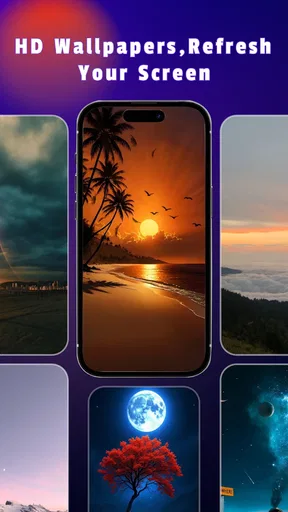
If customization is your jam, then you’re in for a treat. Aura Wallpaper Launcher offers a robust selection of wallpapers and themes that cater to a variety of tastes. Whether you’re into abstract art or nature scenes, there’s something here for everyone. The wallpapers are high-quality, which means your home screen will look crisp and vibrant.
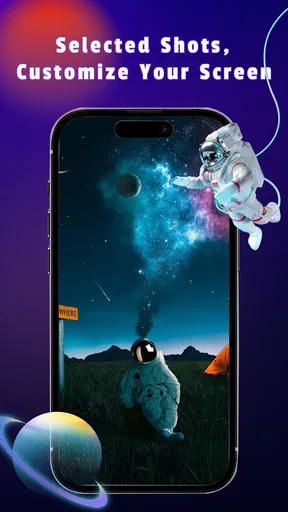
But it doesn’t stop there. You can also tweak icons, fonts, and even transition effects. If you’re feeling particularly adventurous, the app lets you mix and match elements to create a personalized theme that screams "you." It’s like having a personal stylist for your phone.
Performance and Features
Now, let’s talk performance. One of my pet peeves with some launchers is that they bog down your phone, turning it into a sluggish mess. Thankfully, Aura Wallpaper Launcher doesn’t fall into that trap. It’s lightweight and efficient, ensuring that your device runs smoothly without draining your battery like a thirsty camel.
The app also offers a cool feature that automatically updates your wallpaper based on your preferences. You set the mood, and Aura does the rest. It’s a small touch, but it adds a dynamic element to your phone’s appearance, keeping things fresh and exciting.
User Experience
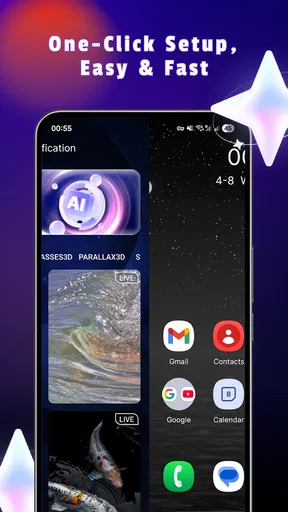
Let’s face it, nobody wants to spend hours trying to figure out how to use a new app. With Aura, the setup process is a breeze. The app guides you through each step, ensuring that you’re up and running in no time. And if you ever get stuck, there’s a handy help section that’s actually helpful—not just a jumble of technical jargon.
Plus, it’s compatible with both Android and iOS, so you can enjoy its features regardless of your device allegiance. It’s like finding a restaurant that caters to both vegans and meat lovers—everyone’s happy.
In-App Purchases and Ads
Now, let’s address the elephant in the room: in-app purchases and ads. Yes, Aura Wallpaper Launcher does offer premium features, but the free version is generous enough that you won’t feel like you’re missing out. Ads are present, but they’re not intrusive, which is a relief. If you do decide to splurge on the premium version, you’re looking at a solid investment in aesthetics and convenience.
Overall, the app strikes a good balance between offering a free experience and tempting you with premium goodies. It’s like window shopping with the option to buy if you find something you truly love.
Final Thoughts
All in all, the Aura Wallpaper Launcher is a fantastic choice for anyone looking to add a personal touch to their device. It’s user-friendly, packed with customization options, and performs like a champ. Whether you’re a customization newbie or a seasoned pro, this app is sure to impress.
So, if you’re ready to give your phone a fresh new vibe, head over to the app store and check out the Aura Wallpaper Launcher. It’s like a breath of fresh air for your home screen, and who doesn’t love a little refresh now and then?
Pros
- Customizable themes enhance user experience.
- Minimal battery consumption for prolonged use.
- Smooth and responsive user interface.
- Wide variety of high-quality wallpapers.
- Regular updates with new features and designs.
Cons
- Contains ads which can be intrusive.
- Limited free content; premium features cost extra.
- Occasional bugs affect app stability.
- Requires internet connection for certain features.
- Some users report slow loading times.
FAQs for Aura Wallpaper Launcher
What features does Aura Wallpaper Launcher offer?
Aura Wallpaper Launcher provides a wide range of customizable features including an extensive collection of high-resolution wallpapers, dynamic themes, and icon packs. It also supports gesture controls and offers a user-friendly interface that enhances the overall aesthetic and functionality of your device. Additionally, it includes a smart widget feature for easy access to apps.
How does Aura Wallpaper Launcher affect battery life?
While Aura Wallpaper Launcher is designed to be efficient, the use of dynamic themes and high-resolution wallpapers may slightly impact battery life. However, the app includes optimization settings that allow users to minimize battery usage by adjusting animation speeds and reducing the frequency of updates for live wallpapers.
Is Aura Wallpaper Launcher compatible with all devices?
Aura Wallpaper Launcher is compatible with most Android devices running Android 5.0 Lollipop and above. However, some features like certain dynamic wallpapers or widgets may require more recent hardware or software capabilities. It is recommended to check the compatibility on the app’s download page before installation.
Does Aura Wallpaper Launcher contain ads?
Yes, Aura Wallpaper Launcher includes ads in its free version. These ads are non-intrusive and appear primarily in the settings or customization sections. Users who prefer an ad-free experience can opt for the premium version, which removes all ads and unlocks additional customization features.
Can I customize the app to match my personal style?
Absolutely! Aura Wallpaper Launcher is highly customizable, allowing you to change wallpapers, themes, and icon styles to suit your personal preferences. You can also use the app’s gesture controls to tailor the user experience further, making your device truly unique to your style.


